Chess Universe: Play Online
- 4.7
- Rating
- 10.00M
- Installs
- Free
- Price

 Analysis by App-foxy
Chess Universe: Play Online is the kind of board game I can open for a quick match and still return to when I want to study a position more carefully. I tested it with a simple question in mind: does it work better as a convenient chess companion, a learning tool, or a social game? My answer is that it tries to cover all three, with its strongest appeal coming from the combination of online play, offline games, and lessons.
That combination matters because many chess apps force you to choose a style of use. One may be focused almost entirely on playing against other people, another may feel like a training course, and a traditional physical board offers a calmer experience but no automatic opponent or lesson support. This game sits between those options. It is free to start, made by Kings of Games!, and belongs squarely in the board-game category, but it is more useful when you decide what you want from each session instead of treating it as just another way to pass time.
How I would decide whether it belongs on your phone
My first decision criterion is flexibility. If I have only a few minutes, I want to make progress in a game without preparing a board or finding someone nearby. If I have more time, I want the same app to help me think about mistakes rather than immediately sending me into another match. The online and offline options make that possible, while the chess lessons give the app a purpose beyond filling spare minutes.
You May Also Like

 Blood Strike: 2.5 Anniversary
Blood Strike’s Loadouts Turn Every Drop Into a Tactical Gamble
A close look at Blood Strike’s custom loadouts: how fast access to signature weapons reshapes its battle royale rhythm, rewards preparation, and narrows the gap between fights.

 Pandora - Music & Podcasts
Pandora’s Music Is Easy to Start, but Harder to Recover
Pandora’s strength is its low-effort path from a seed to a station. Its weak spot is how much confidence it asks you to place in connection, setup, and quiet recovery.

 8 Ball Pool
 Is Built on Rivalries, Rematches, and Routine
A close look at the rivalries, rematches, shared routines, and unanswered safety questions that turn a quick pool match into a persistent mobile community.

 Samsung Music
’s Quiet Strength Is Playing What You Already Own
Its reach comes less from spectacle than from dependable access to a personal library. That simplicity is both the app’s strongest retention engine and its ceiling.

 AccuWeather: Weather Radar
AccuWeather Review: A Quick, Clear Forecast for Everyday Decisions
For everyday plans, the best forecast is the one you can understand quickly. AccuWeather makes rain timing, radar, and local conditions easy to act on, with a few trade-offs.

 Hill Climb Racing
Why Hill Climb Racing Still Turns Crashes Into One More Run
A tiny car, a bumpy hill and one more upgrade: Hill Climb Racing keeps resurfacing because its simple chaos makes every near-miss feel personal.
More From Our News Desk



The second criterion is the type of opponent you want. Playing with friends has a different feel from practicing alone, and both differ from studying a lesson. I would choose this app for someone who wants those modes under one roof. I would be less enthusiastic about it for a player who already has a very specialized training routine and expects every tool to be built around deep analysis.
The third criterion is patience. Chess is not a game that becomes satisfying simply because an app makes the board convenient. You still need to read positions, accept losses, and spend time understanding why a move failed. The lessons can help, but they do not remove the need for deliberate practice. In my experience, the app rewards players who pause before moving instead of treating every match as a race.
It is also worth considering the audience. The content rating is Everyone, so the game is positioned as an accessible choice for a broad range of players. That does not mean every part of chess will feel easy to a complete beginner. The rules may be familiar, but planning several moves ahead is a separate skill. I would recommend starting slowly, using lessons as a way to build habits, and then moving into online games when the basic movement and check situations feel comfortable.
What the first sessions feel like
My preferred way to begin is not to jump straight into a competitive match. I would first play a few offline games, using them to get comfortable with the board and to notice which pieces I mishandle. Offline play is especially useful when I am traveling, waiting somewhere, or simply do not want the pressure of another person expecting a quick response.
After that, online play becomes more meaningful. A match against a friend gives the game a social reason to stay installed, while an online session can expose weaknesses that are easy to miss against a predictable routine. I like this progression because it turns the app into a small practice cycle: learn, test the idea offline, and then see whether it survives a real opponent.
One practical tip is to choose a single focus for each game. I might concentrate on developing pieces early, protecting my king, or checking whether a capture is actually safe. Trying to fix every weakness at once makes chess feel chaotic. The lessons are more useful when I connect them to one decision I can apply immediately on the board.
Where this chess game wins
The biggest strength is the blend of play and learning. A lesson is not isolated from the rest of the experience; it can lead naturally into a game where I try the idea. That makes the app more useful than a basic digital board that only lets me move pieces. For a casual player, the learning material can provide direction when simply playing match after match stops producing improvement.
The offline option is another practical advantage. I do not always want to depend on another player being available, and I do not always have a stable connection when I feel like playing. An offline game also creates a lower-pressure environment for experimenting with openings, piece placement, or defensive choices. I can take a moment to think without turning every move into a social exchange.
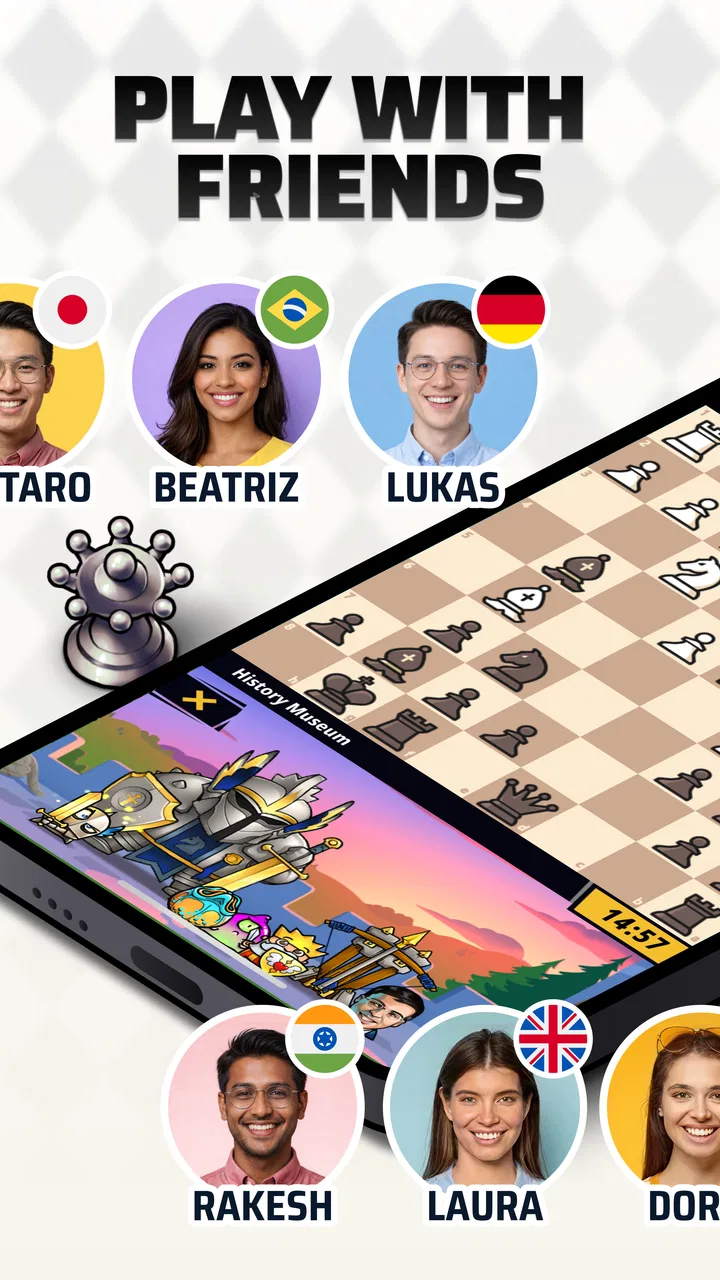
Online games with friends give it a different kind of value. Chess is often more enjoyable when there is a familiar person on the other side of the board, especially for players who do not want a purely solitary puzzle experience. I would use this mode for a regular challenge with someone I know, then keep offline play for testing ideas between matches.
The app’s large audience is also a useful signal when deciding whether it is worth trying. It has a 4.8 average from around 98 thousand ratings and has passed 10 million installs. Those figures do not prove that every player will like its interface or pace, but they do suggest that it has reached well beyond a tiny niche. For someone choosing between an unfamiliar chess app and an established option, that level of adoption makes the decision easier.
I also appreciate that the game remains free to download. That lowers the cost of exploring its different ways to play. The important distinction is that free access is not the same as a completely cost-free experience: in-app purchases range from $1.49 to $79.99 per item. I would treat those purchases as optional spending to consider only after deciding that the core experience fits my habits.
Small habits that make it more useful
The first non-obvious advantage is that offline games can serve as a rehearsal space rather than merely a backup for online play. I can recreate a recurring situation in my head, try a different response, and use the board to slow down a mistake that normally happens too quickly. Even without turning the app into a formal study system, that workflow makes casual play more intentional.
The second is the value of switching modes after a loss. My instinct in online chess is often to start another game immediately, but that can reinforce the same error. Moving to a lesson or an offline match gives me a chance to reset. I can ask whether I lost because of an opening decision, a missed threat, or simple impatience. That short pause is more valuable than chasing a quick win.
The third is using lessons as prompts for questions, not as material to memorize once. After learning a principle, I would deliberately look for the moment it matters in the next game. For example, if the lesson concerns development or king safety, I can review my first several moves with that idea in mind. This turns a general explanation into a repeatable check before I move.
A fourth useful habit is separating social games from practice games. When I play with a friend, I may want a relaxed match and conversation. When I play offline, I can take risks and examine unfamiliar positions. Keeping those purposes separate prevents me from judging every game only by whether I won.
Where another type of chess app may fit better
This game is not automatically the best choice for every chess player. If your main goal is intensive analysis of completed games, a dedicated analysis-focused tool may fit better. Such an app would be preferable when you already understand the basics and want to spend most of your time examining variations, reviewing move quality, or building a structured study archive. I would not choose this game solely for that advanced purpose unless its lessons and play modes already match what I need.
A pure puzzle app may also be a better alternative for someone with very limited time. Puzzles give a tightly defined problem and a clear stopping point, while a full chess game can expand far beyond the few minutes you planned to spend. If you want a daily tactical exercise rather than an opponent, the board-game format here may feel less focused.
There is also a case for a physical chessboard. A real board is better for players who want face-to-face interaction, a screen-free routine, or a slower family activity. This app wins on convenience and availability, but it cannot recreate the same room-based experience. I would choose the physical option for a regular household game and keep this app for travel, solo practice, or playing with friends who are elsewhere.
Players who dislike in-app purchase systems should think about the cost boundary before spending time with it. The game is free, but the listed purchase range reaches $79.99 per item. I would not buy anything immediately. I would first confirm that online play, offline sessions, and lessons give me enough value without extra spending, then decide whether an optional purchase genuinely improves my use rather than simply encouraging impulse buying.
Another possible limitation is the breadth of its audience. Trying to serve beginners, casual players, friends, and learners is useful, but it can also mean that the experience feels less specialized than an app built around one narrow purpose. A newcomer may appreciate the range, while an advanced player may want more depth in one area. That is not a flaw for everyone; it is a trade-off worth recognizing before switching from a specialized chess tool.
What changes when you make it your main chess app
The cost of switching is fairly low if you currently play only occasionally. You can install it for free, start with offline games, and decide later whether online play or lessons deserve a regular place in your routine. For a casual player, that gradual approach is better than committing to a complicated training system from the beginning.
The switch is more involved if you already have a carefully organized chess workflow. You may need to divide your time between this game and the tools you use for deeper study. I would not abandon a specialized app that already handles the exact analysis or practice method I rely on. Instead, I would use this one as the convenient playing layer and keep the other tool for focused improvement.
Device compatibility is straightforward for many Android users: the minimum operating system is Android 6.0, and the current version is 1.26.2. That makes it accessible on a wide range of devices that are not brand new. Before installing, I would still consider how comfortable the board feels on my particular screen, because chess depends on recognizing pieces and reading the position without strain.
For an everyday scenario, imagine having a short break between errands. An online match may be risky if you cannot give it your full attention, so I would choose an offline game or a lesson instead. Later, when I know I can concentrate, I would play with a friend. This simple division avoids abandoning a game halfway through and makes the app fit real schedules rather than demanding a single fixed routine.
Families can use it in a similar way. A parent can introduce the board through offline play, then let a child practice the basic ideas at a comfortable pace. The Everyone rating makes it suitable for a broad audience, but I would still play alongside a younger beginner at first. Chess lessons are easier to understand when someone can explain why a move matters instead of leaving the learner to guess.
My recommendation after using it
I recommend Chess Universe: Play Online to casual and improving players who want one free chess game for online matches, offline practice, and lessons. Its strongest use is as a flexible daily companion: play when you have time, study when you are stuck, and use offline sessions to test a new idea without pressure.
I would especially suggest it to someone who has tried chess before but lacks a routine. The app gives enough variety to prevent every session from feeling identical, while the board format keeps the focus on the game itself. It is also a sensible starting point for a friend group that wants to play remotely without paying before deciding whether chess will become a regular hobby.
I would skip it as my primary choice if I wanted a highly specialized analysis environment, a puzzle-only routine, or a screen-free experience. In those cases, a different category of alternative would better match the goal. I would also be cautious with purchases until I had used the free experience long enough to understand what I actually need.
Overall, the game succeeds because it connects three useful moments: learning a chess idea, trying it on a board, and sharing a match with another person. It is not a replacement for every chess tool, but it does not need to be. For me, the best reason to install it is that it makes it easy to keep chess available without forcing every session to look the same.
The developer, Kings of Games!, has positioned it as an approachable board game rather than an intimidating study product, and that is where it feels most convincing. With around 3.6 thousand reviews and a free entry point, it is easy to explore. My clear advice is to begin offline, use the lessons with a specific goal, and move into online games once you are ready to test your decisions against a real friend. If you want convenient chess with room to learn, it is a strong choice; if you need one narrow expert tool, look elsewhere.
FAQs for Chess Universe: Play Online
01What features does Chess Universe: Play Online offer?
Chess Universe: Play Online provides a comprehensive experience for both beginners and seasoned players. It includes daily puzzles, interactive tutorials, and various game modes such as quick matches and tournaments. The app also offers a global leaderboard, allowing players to compete and track their progress against others worldwide.
02Is Chess Universe: Play Online suitable for beginners?
Yes, Chess Universe: Play Online is beginner-friendly. It offers step-by-step tutorials and guides to help new players learn the basics of chess. The app also includes practice modes and puzzles designed to improve skills gradually, making it an excellent choice for those new to the game.
03Does Chess Universe: Play Online have offline capabilities?
While Chess Universe: Play Online primarily focuses on online play, it does offer an offline mode. Users can practice against AI opponents of varying difficulty levels, allowing them to hone their skills without an internet connection. This feature is perfect for on-the-go play or areas with limited connectivity.
04How does Chess Universe: Play Online ensure fair play?
Chess Universe: Play Online employs an advanced anti-cheat system to ensure a fair gaming environment. The system detects suspicious activities and enforces strict rules against cheating. Additionally, players can report suspicious behavior, and the community is encouraged to maintain sportsmanship and integrity.
05Are there in-app purchases in Chess Universe: Play Online?
Yes, Chess Universe: Play Online offers in-app purchases. While the app is free to download and play, users can purchase premium features such as exclusive puzzles, advanced tutorials, and cosmetic items. These purchases enhance the gaming experience but are not necessary to enjoy the full functionality of the app.
Pros
- Engaging multiplayer matches.
- Wide range of difficulty levels.
- Intuitive and user-friendly interface.
- Regular updates with new features.
- Offline mode available for practice.
Cons
- Some ads can be intrusive.
- Occasional connection issues.
- Limited customization options.
- Requires internet for full features.
- In-app purchases can be costly.

Chess Universe: Play Online
Gallery